Showing posts with label Tablet. Show all posts

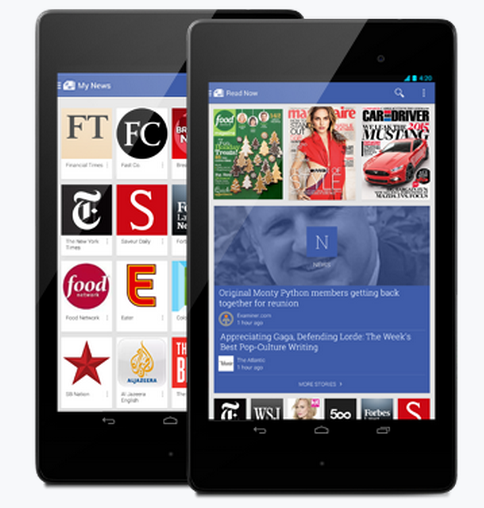
New Android App For Getting All Your News


Google recently introduces an Android Application Google Play Newsstand for Getting all your News and Magazines in one Click. You can explore the topics that you are interested which is published in Newspapers. Bookmark feature is available for making it easier to read after sometime. It also works Offline too. Both free and Paid Subscriptions are allowed for various Magazines. By Google Play Newsstand App you can subscribe to News Blogs,News Websites and HD Magazines. If you are Google Current subscriber all you subscriptions are transferred to Google Play Newsstand.

Also see

Use Your Gmail Offline - Its Free

List Of Useful Google Offline Apps

Search Google by Handwrite In Your Smartphone or Tablet

Google Search has a feature to Handwrite the text that you want to search in Google. This feature can be enabled in your Smartphone and Tablet. It is a useful feature  for who dislikes the keyboard in Smartphone or Tablet. To Enable this feature follow the steps.

Step 1 : Go to www.google.com in your Smartphone or Tablet.

Step 2 : Touch Settings at the bottom of the page and go for Search Settings.

Step 3 : Go to Handwrite Section, Choose Enable to Start using it or Disable for stop it and touch Save at the bottom of page

Step 5 : Now Visit www.google.com. At the right bottom of the screen a picture will be shown.


Step 6 : Touch that image, Now use your fingers to write in the screen. Google will match your handwrite and enter the letters.

If you want turn off the Handwrite option temporarily tough the Handwrite to stop it.